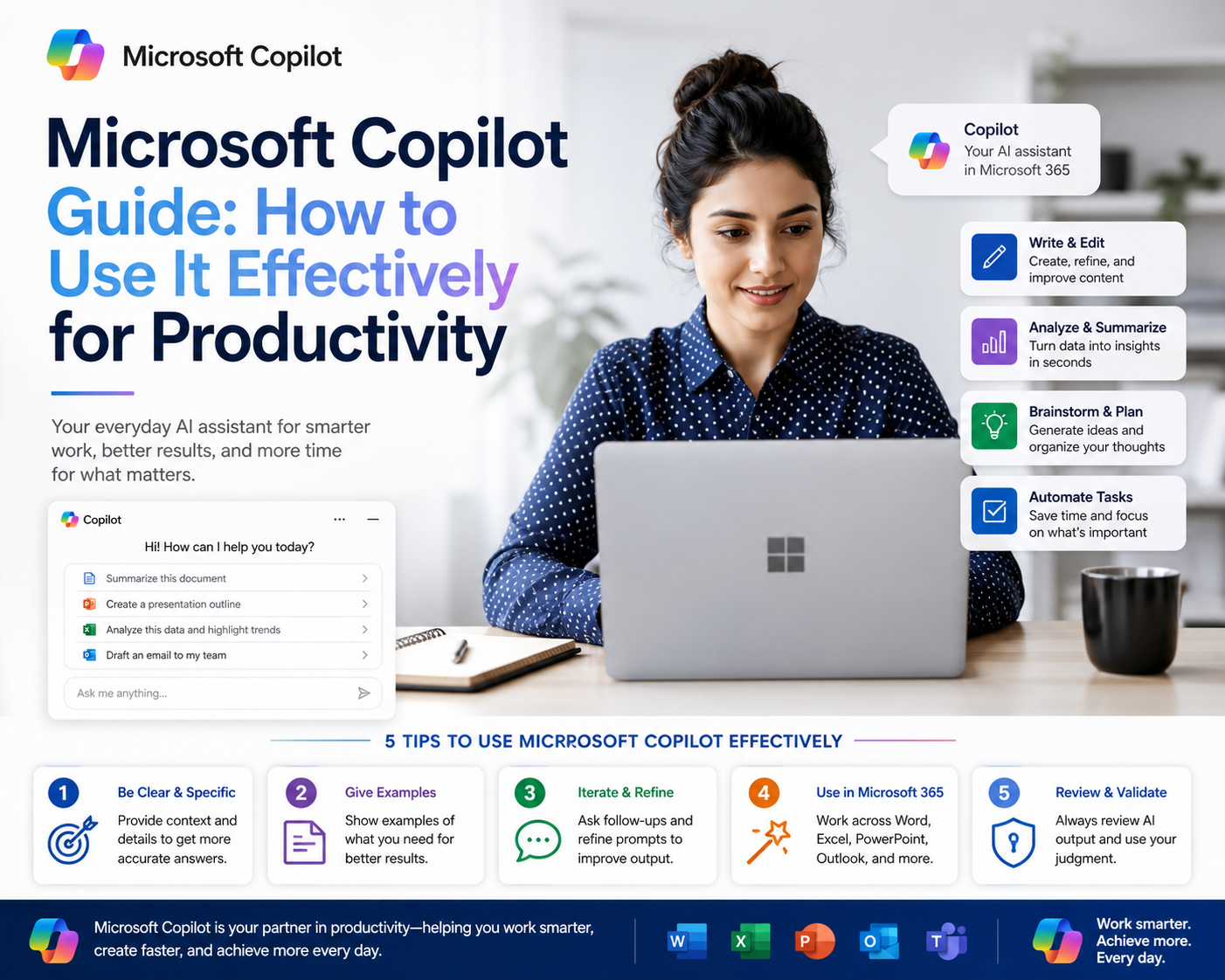
Microsoft Copilot is an artificial intelligence-powered assistant integrated directly into Microsoft 365 applications. It is designed to assist users in completing everyday digital tasks such as writing documents, analyzing spreadsheets, creating presentations, and managing communication workflows. Instead of functioning as a standalone tool, it operates within the applications people already use, allowing it to support tasks in real time.
At its core, Copilot is built to interpret natural language instructions. This means users can describe what they want in plain text rather than relying on complex commands or technical processes. For example, instead of manually building a financial summary in a spreadsheet, a user can describe the outcome they want, and Copilot will generate a structured output based on available data.
The importance of Copilot lies in how it changes task execution rather than replacing human roles. It reduces repetitive effort, speeds up content creation, and helps users focus on decision-making instead of manual formatting or data handling.
How Microsoft Copilot Integrates With Microsoft 365 Applications
Microsoft Copilot operates across multiple applications, adapting its behavior depending on the environment it is used in. Each integration is designed to enhance productivity within that specific tool while maintaining a consistent interaction style.
In Word, Copilot assists with document creation and editing. Users can generate drafts, rewrite sections for clarity, or expand short ideas into structured content. It is particularly useful when starting from a blank page, as it can generate a foundation that users can refine.
In Excel, Copilot focuses on data interpretation and automation. It can analyze datasets, generate formulas, and create visual summaries based on user prompts. Instead of manually constructing formulas or charts, users can request insights in natural language, and Copilot translates those requests into structured outputs.
In PowerPoint, Copilot supports presentation building by generating slide structures, organizing content logically, and suggesting visual layouts. It helps transform written ideas into presentation-ready formats without requiring manual slide design from scratch.
In Teams, Copilot functions as a communication assistant. It can summarize meetings, extract key points, and generate follow-up actions based on discussions. This reduces the need for manual note-taking and helps ensure important information is not missed.
Across all applications, the key value lies in contextual awareness. Copilot uses the surrounding document, dataset, or conversation to generate relevant responses rather than producing generic outputs.
The Role of Context and Data Access in Copilot’s Functionality
A defining feature of Microsoft Copilot is its ability to operate using contextual organizational data. It can access information from Microsoft 365 services such as email systems, file storage platforms, and collaboration environments, provided the user has permission to access that data.
This contextual access allows Copilot to generate responses that are relevant to real work scenarios rather than isolated prompts. For example, when generating a report, it can pull information from existing documents, spreadsheets, or communications relevant to the task.
The system relies on structured organizational permissions, meaning it does not bypass security settings or access unauthorized information. Instead, it works within the boundaries of existing user access rights. This ensures that data handling remains consistent with enterprise security frameworks.
The ability to combine natural language input with organizational context is what distinguishes Copilot from traditional automation tools. It does not simply execute commands; it interprets intent within a defined data environment.
Understanding Natural Language Interaction With Copilot
One of the most significant shifts introduced by Copilot is the use of natural language as the primary interface. Users no longer need to learn application-specific syntax or complex workflows. Instead, they communicate with the system in conversational language.
This interaction model allows for more flexible task execution. A user might request a summary of a report, a breakdown of financial data, or a rewritten version of a document section without needing to navigate multiple menus or tools.
However, effectiveness depends heavily on clarity of input. The more specific the instruction, the more accurate the output. For instance, requesting a general summary will produce broad results, while specifying time periods, data sources, or formatting preferences leads to more refined outputs.
This dynamic creates a collaborative workflow between the user and the system. Copilot interprets, but the user directs. This balance ensures that human oversight remains central to the final output.
How Copilot Enhances Document Creation in Word
In document-based workflows, Copilot significantly reduces the time required to produce structured content. When working in Word, it can generate first drafts based on short instructions, expand bullet points into full paragraphs, or refine tone and clarity.
For example, if a user provides a basic outline for a report, Copilot can transform it into a complete, structured document with logical flow and consistent formatting. It can also adjust tone depending on the intended audience, making content more formal or simplified as needed.
Another key capability is iterative refinement. Instead of producing a single fixed output, Copilot allows continuous adjustment. Users can request changes, expansions, or rewording without restarting the document creation process.
This makes it particularly useful for business documentation, internal reporting, and structured writing tasks where efficiency and consistency are important.
How Copilot Transforms Data Handling in Excel
Excel is one of the most impactful environments for Copilot due to its reliance on structured data. Traditionally, users must understand formulas, functions, and data relationships to extract insights. Copilot reduces this dependency by allowing natural language queries.
Users can request calculations, trends, or summaries without manually building formulas. For example, instead of constructing a formula to calculate averages or growth rates, a user can describe the desired outcome, and Copilot will generate both the calculation and the result.
It can also identify patterns in datasets, highlight anomalies, and generate visual representations such as charts or graphs. This helps users interpret data more quickly without requiring advanced spreadsheet expertise.
However, data must be properly structured for optimal results. Well-organized tables and consistent formatting improve Copilot’s ability to analyze information effectively.
How Copilot Assists in Presentation Development
Creating presentations often involves structuring information into clear visual formats. Copilot simplifies this process by generating slide structures based on input topics or summaries.
Instead of manually designing slides, users can describe the presentation objective, and Copilot generates a draft layout with headings, key points, and suggested structure. This allows users to focus on refining messaging rather than building slides from scratch.
It also helps maintain consistency across presentations by applying logical flow between sections. This ensures that information is presented coherently and professionally.
The system can further assist in adjusting tone and formatting to match different presentation contexts, whether formal business reporting or internal communication.
Advancing Beyond Basic Copilot Usage in Microsoft 365
Moving beyond the introductory use of Microsoft Copilot involves shifting from simple task delegation to structured workflow design. At a basic level, Copilot responds to direct instructions such as drafting a document or summarizing a dataset. In advanced usage scenarios, it becomes part of a broader productivity system where tasks are interconnected across multiple Microsoft 365 applications.
The key difference at this stage is intentionality. Instead of using Copilot for isolated outputs, users begin designing multi-step outcomes. For example, a single objective such as preparing a quarterly business update may involve data extraction in Excel, narrative construction in Word, and visual presentation in PowerPoint. Copilot supports each stage, but the user defines the sequence and logical flow.
This approach requires a clearer understanding of task decomposition. Large work outputs are broken into smaller components, each handled by Copilot within the appropriate application. The result is not just faster execution but improved consistency across different formats of the same information.
Advanced usage also introduces the concept of iterative refinement cycles. Instead of expecting a final output in one step, users guide Copilot through multiple adjustments until the output aligns with professional or organizational standards.
Prompt Engineering Principles for Copilot Productivity
Prompt engineering refers to the structured formulation of instructions to achieve more accurate and reliable outputs from Copilot. While Copilot is designed to understand natural language, precision in wording significantly improves performance and reduces ambiguity.
Effective prompts typically include four components: context, objective, constraints, and output format. Context defines the background of the task, such as the dataset type or document purpose. An objective clarifies what needs to be achieved. Constraints define limitations such as tone, length, or data scope. The output format specifies how the result should be structured.
For example, instead of requesting a general summary of a report, a more advanced prompt would define the time period, key metrics to focus on, and the desired structure of the summary. This reduces unnecessary interpretation and improves output alignment.
Another important principle is specificity in scope. Broad prompts often lead to generalized outputs, while narrowly defined prompts produce actionable results. This becomes particularly important in business environments where precision is critical.
Prompt iteration is also part of the process. Users often refine instructions based on initial outputs, gradually improving accuracy through feedback loops. This interaction creates a dynamic system where both the user and Copilot contribute to the final result.
Using Copilot for Complex Workflows in Word and Document Automation
In advanced document workflows, Copilot functions as a structured drafting assistant capable of handling multi-section content creation. Rather than generating isolated paragraphs, it can build complete document frameworks with logical segmentation.
This is particularly useful in environments where documentation follows standardized structures such as reports, proposals, or technical summaries. Users can define the structure in advance, and Copilot populates each section based on available context and instructions.
Document automation becomes more effective when combined with iterative refinement. Instead of producing a final document in one step, users guide Copilot through progressive enhancements. This may include expanding sections, adjusting tone consistency, or restructuring content flow.
Another advanced capability is content alignment across multiple documents. When working with related files, Copilot can help maintain consistency in terminology, formatting, and narrative structure. This is especially useful in large organizations where multiple contributors are involved in document creation.
The result is a reduction in manual editing effort and improved standardization across business documentation.
Advanced Data Analysis Techniques in Excel With Copilot
Excel becomes significantly more powerful when combined with Copilot’s natural language processing capabilities. Advanced usage extends beyond simple formula generation into analytical reasoning and structured interpretation of datasets.
Users can request trend identification, comparative analysis, and segmentation of data without manually constructing formulas or pivot tables. Copilot interprets the structure of the dataset and applies appropriate analytical methods based on the request.
One of the most valuable capabilities is the ability to generate insights from unstructured or semi-structured data. Instead of requiring predefined calculations, Copilot can identify relationships within the dataset and present meaningful summaries.
Visualization also plays a key role in advanced usage. Copilot can recommend chart types based on data patterns and generate visual representations that highlight key insights. This reduces the need for manual chart configuration and formatting.
However, accuracy depends heavily on data quality. Structured formatting, consistent labeling, and clean datasets significantly improve analytical outcomes. In advanced workflows, data preparation becomes just as important as analysis itself.
Enhancing Presentation Strategy and Storytelling in PowerPoint
In advanced PowerPoint usage, Copilot supports not only slide creation but also narrative development. Presentations are treated as structured stories rather than collections of slides, and Copilot assists in maintaining logical progression.
Users can define the central message of a presentation, and Copilot generates a structured flow that supports that message. This includes introduction framing, supporting points, and concluding summaries within the presentation structure.
Advanced usage involves refining storytelling elements such as transitions between ideas and emphasis on key points. Copilot helps organize content in a way that improves audience comprehension and engagement.
Another important capability is content adaptation. Presentations can be adjusted for different audiences by modifying tone, complexity, and detail level without rebuilding the entire slide deck.
This allows a single presentation framework to be reused across multiple contexts, improving efficiency in communication-heavy environments.
Copilot in Microsoft Teams for Collaboration Intelligence
Microsoft Teams integration introduces a collaborative intelligence layer to Copilot’s functionality. Instead of focusing solely on individual productivity, this environment emphasizes group communication and shared workflows.
Copilot can analyze conversation threads, identify key discussion points, and summarize ongoing collaboration topics. This reduces the need for manual review of long chat histories and meeting discussions.
In team environments, Copilot also supports continuity between conversations. It can extract decisions, unresolved issues, and assigned responsibilities from discussions, helping teams maintain alignment across multiple interactions.
This becomes particularly useful in distributed work environments where communication occurs asynchronously across different time zones or schedules.
Copilot also enhances information retrieval within Teams by surfacing relevant past discussions or shared files when related topics are introduced in ongoing conversations.
Meeting Intelligence: Summarization, Action Extraction, and Workflow Continuity
Meeting environments represent one of the most structured applications of Copilot. When enabled with transcription capabilities, Copilot can process spoken content and convert it into structured outputs.
Summarization is one of its core functions. It identifies key discussion points, removes redundant conversation elements, and produces concise overviews of meetings. This allows participants to focus on outcomes rather than manual note-taking.
Action extraction is another important capability. Copilot identifies tasks, decisions, and follow-up items discussed during meetings and organizes them into structured lists for review.
Workflow continuity is achieved by linking meeting outputs to ongoing tasks. Instead of treating meetings as isolated events, Copilot integrates their outcomes into broader project workflows.
This reduces the gap between discussion and execution, ensuring that important points are not lost after meetings conclude.
Cross-Application Workflows and Multi-Tool Productivity Design
Advanced Copilot usage often involves workflows that span multiple Microsoft 365 applications. These workflows are designed to move information seamlessly from one stage to another.
For example, data analysis may begin in Excel, transition into a written report in Word, and conclude with a presentation in PowerPoint. Copilot supports each stage while maintaining contextual continuity.
This cross-application capability allows users to maintain consistency in messaging and data interpretation across different formats. It also reduces duplication of effort since information does not need to be recreated manually at each stage.
Multi-tool workflows are particularly effective in structured business environments where reporting, analysis, and presentation are interconnected processes.
The key to successful implementation is maintaining a consistent input structure and ensuring that each stage builds logically on the previous one.
Error Handling, Iteration Strategy, and Output Refinement Techniques
Advanced interaction with Copilot requires an understanding of how to manage imperfect outputs. Since Copilot operates through probabilistic language modeling, outputs may require refinement before reaching final usability.
Error handling begins with evaluation. Users must assess whether outputs meet the intended objective or require adjustment. This evaluation process is critical in ensuring accuracy and relevance.
The iteration strategy involves refining prompts based on observed output behavior. Small adjustments in wording, structure, or constraints can significantly change results.
Output refinement is an ongoing process where Copilot is guided toward improved versions of the same task. This may involve rephrasing instructions, narrowing the scope, or requesting alternative formats.
In complex workflows, iteration is not a sign of inefficiency but a necessary part of achieving precision. Over time, users develop patterns that reduce iteration cycles and improve first-pass accuracy.
Scaling Microsoft Copilot for Real Business Environments
At an enterprise level, Microsoft Copilot is not simply a productivity assistant used by individuals but a system-level capability embedded across organizational workflows. Scaling Copilot effectively requires aligning it with business processes rather than treating it as an isolated tool.
In real-world environments, organizations rarely rely on a single application. Instead, work is distributed across communication platforms, document systems, spreadsheets, and collaborative spaces. Copilot becomes valuable when it is positioned as a connective layer between these systems, allowing information to move seamlessly from one stage of work to another.
For example, a business report may begin as raw data in spreadsheets, transition into a written analysis, and ultimately become a presentation for stakeholders. Copilot assists in each phase, but the real value emerges when these stages are integrated into a continuous workflow rather than treated separately.
Scaling also involves consistency. When multiple users interact with Copilot across teams, standardized prompting styles and structured workflows help ensure predictable outputs. Without consistency, outputs may vary significantly depending on user interpretation.
Enterprise Data Handling and Security-Aware AI Usage
In enterprise environments, data governance is a critical factor in AI adoption. Copilot operates within existing organizational permission structures, meaning it does not override security settings or access unauthorized information.
This security-aware design ensures that users only receive outputs based on data they are already permitted to view. It reduces the risk of data leakage while still enabling contextual intelligence across systems.
Enterprise data handling also includes integration with organizational knowledge systems. Copilot can interpret structured and semi-structured data from internal sources, allowing it to generate responses grounded in a real business context rather than external assumptions.
Security frameworks such as role-based access control ensure that Copilot’s outputs remain aligned with user privileges. This means two users in different departments may receive different outputs even when issuing similar prompts, depending on their access levels.
This approach supports compliance requirements in regulated industries where data sensitivity is a major concern.
Organizational Workflow Transformation Through AI Assistance
One of the most significant impacts of Copilot in business environments is workflow transformation. Traditional workflows often involve manual transitions between tasks such as data collection, analysis, documentation, and presentation.
With Copilot, these stages become interconnected. Information does not need to be recreated or reformatted repeatedly. Instead, it is progressively transformed as it moves through different applications.
This shift reduces redundancy and improves operational efficiency. Tasks that previously required multiple tools and manual coordination can now be handled within a unified workflow supported by AI assistance.
Workflow transformation also affects role distribution. Employees spend less time on repetitive formatting tasks and more time on interpretation, decision-making, and strategic planning. This does not eliminate roles but reshapes how time and effort are allocated.
Copilot in Decision Support and Analytical Environments
In analytical environments, Copilot functions as a decision support assistant rather than a decision-maker. It processes data, identifies patterns, and presents structured insights that support human judgment.
For example, when analyzing business performance, Copilot can highlight trends, anomalies, and correlations within datasets. However, interpretation of these insights remains a human responsibility.
Decision support becomes particularly valuable in fast-paced environments where large volumes of data must be processed quickly. Copilot reduces the time required to extract meaningful insights, allowing decision-makers to focus on evaluating outcomes rather than generating them manually.
In advanced analytical scenarios, Copilot can assist in scenario comparison by summarizing potential outcomes based on different input conditions. This supports planning and forecasting processes without replacing human strategic thinking.
Automation of Repetitive Cognitive Tasks
A major advantage of Copilot lies in its ability to automate repetitive cognitive tasks. These are tasks that require thinking but follow predictable patterns, such as summarizing reports, reformatting documents, or extracting key points from communication threads.
By automating these processes, Copilot reduces cognitive load on users. This allows individuals to allocate mental resources toward higher-value activities such as problem-solving and strategy development.
Repetitive tasks in business environments often consume a disproportionate amount of time relative to their value. Automating these tasks does not eliminate human involvement but reduces unnecessary manual effort.
This shift contributes to improved efficiency without compromising quality, as Copilot applies consistent logic across repeated tasks.
Human-AI Collaboration in Professional Workflows
Copilot is most effective when viewed as a collaborative system rather than an autonomous solution. Human input defines direction, while AI supports execution.
This collaboration model requires clear role separation. Humans define objectives, evaluate outputs, and make final decisions. Copilot handles generation, structuring, and initial analysis.
In practice, this creates a feedback loop where human guidance improves AI output, and AI output enhances human productivity. Over time, users develop better prompting strategies, while Copilot adapts to their working patterns.
This collaborative dynamic is particularly important in professional environments where accuracy and accountability are essential.
Managing Accuracy, Verification, and Output Reliability
Despite its capabilities, Copilot does not guarantee absolute accuracy. It generates outputs based on patterns in data and instructions rather than independent verification of facts.
This makes verification an essential part of the workflow. Users must review outputs for accuracy, relevance, and completeness before using them in formal contexts.
In data-driven environments, verification often involves cross-checking outputs against sources or datasets. Document-based workflows it involves reviewing structure, tone, and factual consistency.
Reliability improves when Copilot is used within well-defined constraints. Clear instructions and structured inputs reduce ambiguity and improve output precision.
However, final responsibility always remains with the user, particularly in professional or organizational contexts.
Optimizing Productivity Through Structured Copilot Workflows
Productivity optimization with Copilot depends on how well workflows are structured. Rather than using Copilot in an ad-hoc manner, advanced users design repeatable processes that integrate AI assistance at key stages.
For example, a structured workflow might begin with data collection, followed by automated analysis, then document generation, and finally presentation preparation. Copilot supports each stage, but the workflow design ensures consistency and efficiency.
Optimization also involves identifying tasks that benefit most from AI assistance. Not all tasks require Copilot involvement. High-value use cases typically include tasks that are repetitive, data-heavy, or structurally consistent.
By focusing Copilot usage on these areas, users maximize productivity gains without introducing unnecessary complexity.
Long-Term Adaptation and Skill Development With Copilot
Over time, effective use of Microsoft Copilot leads to genuine skill development rather than passive dependency, provided it is used intentionally and critically. Users gradually move beyond simple prompt entry and begin to develop a more structured way of thinking about tasks. This includes the ability to break complex problems into smaller components, define clear outcomes, and anticipate how digital systems will interpret instructions. As familiarity increases, interaction with Copilot becomes less experimental and more deliberate, with users understanding which types of prompts produce stable, accurate, and usable outputs.
This skill development is closely linked to prompt formulation ability, which becomes a core competency in AI-assisted workflows. Early interactions often involve trial and error, where users refine their requests based on incomplete or unexpected results. Over time, this evolves into more precise communication, where instructions naturally include context, constraints, and expected structure. As users gain experience, they learn how to communicate more effectively with AI systems, resulting in improved output quality and reduced need for repeated adjustments. This progression reflects a shift from reactive usage to proactive design of AI-assisted tasks.
Long-term adaptation also involves developing an intuitive understanding of system behavior. Users begin to recognize patterns in how Copilot responds to different types of inputs, including how it interprets ambiguity, prioritizes information, and structures responses. This awareness allows users to adjust their input strategy in advance, rather than correcting outputs after the fact. In practical terms, this reduces the number of iterations required to achieve desired results and increases overall workflow efficiency. It also encourages more strategic thinking about how information should be structured before it is processed by the system.
As proficiency increases, users often begin to integrate Copilot into broader workflow planning rather than treating it as a task-specific tool. This includes identifying repetitive cognitive tasks that can be consistently delegated, as well as recognizing areas where human judgment remains essential. The result is a more balanced working model where AI handles structured execution while humans focus on interpretation, validation, and decision-making. Over time, this balance becomes more natural and less dependent on conscious adjustment, indicating deeper integration into daily work habits.
Risk Management and Responsible Use of AI Assistance
Responsible use of Copilot involves a clear understanding of its limitations alongside its capabilities. One of the most significant risks is over-reliance on generated outputs without proper review or contextual validation. Because Copilot generates responses based on patterns in data rather than independent reasoning, its outputs may appear confident even when they contain inaccuracies or incomplete interpretations. This makes human verification an essential step in any workflow that involves critical or decision-sensitive information.
Another important risk involves misinterpretation of prompts, which can lead to outputs that are contextually incorrect, partially relevant, or misaligned with the intended objective. This typically occurs when instructions are vague, overly broad, or lack sufficient constraints. Structured prompting and careful review mitigate this issue by ensuring that inputs are clear, specific, and aligned with the desired outcome. In professional environments, this also includes establishing internal standards for how prompts should be constructed and reviewed.
In organizational contexts, responsible use extends beyond individual behavior to include adherence to data handling policies and governance frameworks. Users must ensure that sensitive or confidential information is processed only within approved systems and in accordance with access permissions. Since Copilot operates within existing Microsoft 365 security boundaries, it respects organizational controls, but users still carry responsibility for how they structure and input information. This includes avoiding unnecessary exposure of sensitive data and ensuring that outputs are handled appropriately after generation.
Risk management in this context is not about restricting usage or limiting access to AI capabilities. Instead, it focuses on ensuring that AI assistance is applied in controlled, transparent, and accountable ways. This includes maintaining oversight of outputs, validating critical information, and recognizing when human judgment must override automated suggestions. Organizations that adopt this approach tend to achieve more stable and reliable outcomes while minimizing operational risk associated with incorrect or misinterpreted outputs.
Future-Oriented Workflows and Evolving Role of Copilot
As AI systems continue to evolve, Microsoft Copilot is expected to become more deeply embedded within daily digital workflows. Future-oriented usage is likely to move away from isolated task execution and toward continuous workflow assistance that spans multiple applications, contexts, and timeframes. Instead of being activated for individual tasks, Copilot will increasingly function as an always-available layer of intelligence that supports ongoing work processes.
This evolution includes real-time collaboration support, where Copilot assists multiple users simultaneously within shared environments. It also involves deeper contextual understanding, allowing the system to interpret not only immediate instructions but also broader project goals, historical context, and evolving priorities. In addition, more advanced predictive assistance is expected in areas such as planning, scheduling, and resource allocation, where Copilot can suggest actions based on observed patterns and organizational data.
However, despite these advancements, the fundamental relationship between human oversight and AI assistance is expected to remain stable. Copilot will continue to function as a productivity enhancer rather than an independent decision-maker. Human users will remain responsible for defining objectives, evaluating outcomes, and making final judgments. This ensures that accountability and strategic direction remain under human control, even as automation becomes more sophisticated.
The long-term trajectory of Copilot points toward increasingly seamless integration between human work patterns and AI-assisted execution. Over time, the distinction between tool and workflow may become less visible, as Copilot becomes a natural extension of everyday digital environments. Instead of being perceived as a separate system, it will likely be experienced as an embedded layer of assistance that supports tasks continuously and contextually.
This integration will also influence how work itself is structured. Tasks may become more fluid, with less rigid separation between planning, execution, and review phases. AI assistance will help bridge these stages by maintaining continuity of context and reducing friction between transitions. As a result, workflows may become more adaptive, responding dynamically to changes in input, priorities, or available data.
In this evolving environment, the most valuable skill will not simply be technical proficiency with tools, but the ability to guide intelligent systems effectively. This includes defining clear objectives, maintaining critical oversight, and understanding how to collaborate with AI systems in a structured and intentional manner. As Copilot continues to develop, it will increasingly reward users who combine analytical thinking with effective communication and workflow design, reinforcing the importance of human judgment within AI-augmented environments.
Conclusion
Microsoft Copilot represents a significant shift in how digital work is executed within modern productivity environments, not because it replaces existing systems, but because it redefines how users interact with them. Across Microsoft 365 applications, it introduces a layer of natural language intelligence that transforms traditional task execution into a more conversational and adaptive process. Instead of navigating complex menus, writing formulas manually, or structuring documents from scratch, users are able to express intent directly and receive structured outputs that align with that intent. This shift reduces friction in everyday workflows and changes the relationship between users and software from mechanical operation to guided collaboration. Over time, this changes expectations of speed, output quality, and efficiency in professional environments where time and accuracy are critical. It also gradually reshapes how individuals approach problem-solving, as the focus moves away from execution mechanics and toward defining clear objectives.
At its foundation, Copilot is most effective when viewed as a productivity multiplier rather than an autonomous system. Its value does not lie in independent decision-making but in its ability to enhance human capability. In document creation, it accelerates drafting and refinement. In spreadsheet environments, it reduces dependency on manual formula construction while improving data interpretation speed. IPresentationtools, it helps convert abstract ideas into structured visual narratives. These capabilities collectively reduce the time required to move from concept to execution. However, the quality of output remains dependent on human direction, which reinforces the importance of clear communication, structured prompting, and contextual awareness when interacting with the system. In practical terms, users who understand how to frame requests clearly will consistently achieve more accurate and usable outputs than those who rely on vague or incomplete instructions.
The integration of Copilot across multiple applications also highlights the importance of workflow continuity. Work in modern environments is rarely isolated within a single tool. Instead, it flows between data analysis, documentation, communication, and presentation layers. Copilot supports this interconnected structure by maintaining contextual awareness across Microsoft 365 applications. This allows users to transition from raw data interpretation to written analysis and finally to presentation delivery without repeatedly reconstructing information. The result is a more fluid workflow where information is progressively refined rather than recreated at each stage, reducing redundancy and improving consistency across outputs. Over time, this leads to a more unified working experience where different applications feel less like separate tools and more like components of a single intelligent system.
Despite its capabilities, Copilot introduces a new level of responsibility for users in terms of verification and judgment. Because it generates outputs based on patterns and contextual interpretation, it does not guarantee factual accuracy or contextual precision in every instance. This makes human oversight essential in professional environments where decisions are based on generated content. Users must evaluate outputs for correctness, relevance, and alignment with objectives before applying them in real-world scenarios. This verification process ensures that Copilot remains a supportive tool rather than a source of unchecked automation. In this sense, its effectiveness is directly linked to the discipline of the user rather than the intelligence of the system alone. Organizations that encourage structured review practices tend to benefit more consistently from Copilot adoption.
Another important dimension of Copilot’s role is its impact on skill development and working behavior. As users interact with it over time, they naturally develop stronger abilities in structuring instructions, refining communication, and breaking down complex tasks into manageable components. This leads to a shift in focus from manual execution toward strategic thinking and decision-making. Routine cognitive tasks become less burdensome, allowing more attention to be directed toward interpretation, planning, and problem-solving. This does not eliminate the need for technical skills but changes how those skills are applied within a more AI-assisted environment. The result is an evolving workplace dynamic where efficiency and cognitive focus are redistributed in a way that prioritizes higher-value contributions over repetitive execution.
From an organizational perspective, Copilot also introduces new considerations around workflow standardization and data governance. Because it operates within permission-based data environments, it aligns with existing security structures while still enabling contextual intelligence. This ensures that information access remains controlled while still allowing meaningful automation. Organizations that adopt Copilot effectively tend to establish structured usage patterns that guide how prompts are formulated, how outputs are reviewed, and how workflows are integrated across teams. This structured approach reduces variability in output quality and ensures that AI-assisted work remains consistent across departments and users. Over time, this can contribute to more predictable operational outcomes and improved alignment between teams working on shared objectives.
Additionally, Copilot influences how knowledge is accessed and reused within organizations. Instead of information being locked within isolated documents or communication threads, it becomes more dynamically accessible through natural language queries. This encourages a more fluid knowledge environment where insights can be retrieved and applied more efficiently. However, this also increases the importance of maintaining well-organized and accurate data systems, since the quality of Copilot’s outputs is directly influenced by the quality of available information.
Ultimately, Copilot’s role in modern digital work environments is best understood as an evolution in interaction design rather than a replacement of traditional tools. It bridges the gap between human intent and software execution by translating natural language into structured digital outcomes. Its effectiveness depends on clarity of communication, disciplined usage, and informed oversight. When used appropriately, it reduces operational friction, enhances productivity, and supports more efficient decision-making processes. However, its true value emerges not from automation alone but from the combination of human judgment and AI-assisted execution working together in a structured and intentional way. Over time, this relationship continues to evolve, shaping not only how work is completed but also how work itself is defined in increasingly digital and intelligent environments.