
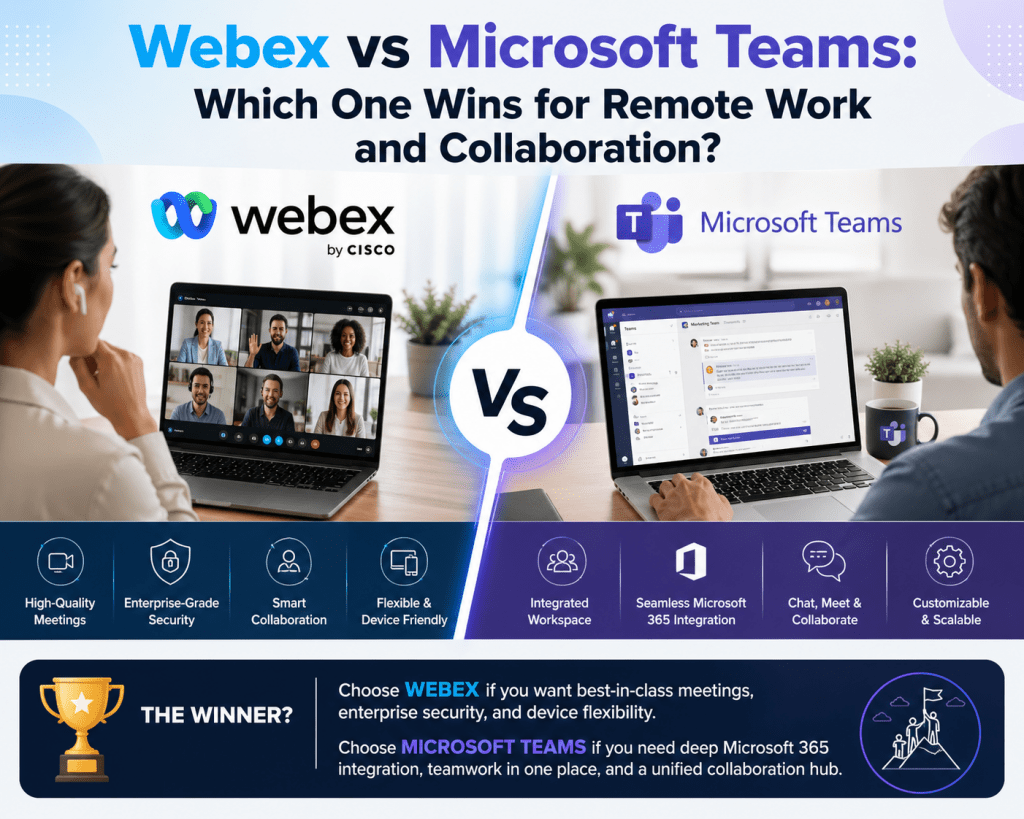
The modern workplace has undergone a significant transformation over the last decade, with digital collaboration tools becoming essential infrastructure rather than optional utilities. Among the most widely adopted enterprise communication platforms are Cisco Webex and Microsoft Teams. Both platforms provide a unified approach to communication by combining messaging, video conferencing, and voice calling, yet their architectural philosophies and ecosystem alignments differ in ways that directly impact organizational decision-making.
At a surface level, both tools seem comparable. They allow teams to communicate in real time, conduct virtual meetings, and share files across distributed environments. However, a deeper analysis reveals that each platform has been built with a distinct strategic direction. Webex is rooted in enterprise-grade conferencing and networking, while Teams is designed as a collaboration hub tightly integrated into a broader productivity ecosystem.
Organizations evaluating these platforms are rarely making a simple feature comparison. Instead, they are analyzing how each solution aligns with their operational workflows, security posture, existing technology investments, and long-term digital transformation strategies. This makes the decision far more complex than selecting a tool with the most features.
Evolution of Enterprise Communication Platforms
To understand the differences between these platforms, it is important to examine how they evolved. Webex originated as a web conferencing solution and gradually expanded into a full collaboration suite. Its development has been heavily influenced by enterprise networking expertise, particularly in secure communication and hardware integration.
On the other hand, Teams began as a messaging and collaboration layer built into Microsoft 365. Over time, it absorbed capabilities such as video meetings, voice calling, and application integration, transforming into a comprehensive communication platform. This evolution has allowed Teams to position itself not just as a communication tool, but as a central workspace where productivity applications converge.
The difference in origin influences how each platform operates today. Webex emphasizes reliability, performance, and specialized communication features, particularly for large-scale meetings and enterprise environments. Teams emphasizes workflow continuity, enabling users to move seamlessly between chat, documents, meetings, and collaboration tasks without leaving the platform.
Core Functional Capabilities and Structural Differences
While both platforms provide similar high-level functionalities, their internal structure and user experience differ significantly. Webex tends to segment its capabilities into separate components, each optimized for a specific purpose. Meetings, messaging, and calling are interconnected but often exist as distinct modules.
Teams takes a more unified approach. It consolidates chat, meetings, calling, and file sharing into a single interface, reducing the need for users to switch between applications. This design philosophy directly impacts productivity, as it minimizes context switching and simplifies workflows.
File collaboration is another area where differences become evident. Teams integrates deeply with document management systems, allowing users to co-author files in real time during meetings or chats. This creates a fluid collaboration environment where communication and content creation happen simultaneously.
Webex supports file sharing and collaboration as well, but its approach is less tightly integrated with productivity tools. Instead, it focuses on delivering high-quality communication experiences, especially in scenarios requiring stable video and audio performance.
Integration with Existing Technology Ecosystems
One of the most critical factors influencing platform selection is how well each solution integrates with existing enterprise systems. Organizations rarely operate in isolation; they rely on a combination of productivity tools, communication systems, and infrastructure components.
Teams benefits significantly from its native integration with Microsoft’s ecosystem. Applications such as Microsoft Outlook, SharePoint, and OneDrive are seamlessly embedded into the Teams experience. This allows users to schedule meetings, access files, and collaborate on documents without leaving the platform.
This level of integration reduces friction in daily workflows. For example, documents shared in conversations are automatically stored and organized, meeting notes are linked to calendar events, and users can collaborate on files in real time during discussions.
Webex also supports integrations, including connections to productivity tools and third-party applications. However, these integrations often function as extensions rather than native components. While they can be effective, they may not deliver the same level of seamless interaction that Teams offers within its ecosystem.
For organizations already invested in Microsoft technologies, Teams naturally complements existing workflows. Conversely, organizations with strong investments in networking infrastructure may find Webex aligns more closely with their operational environment.
User Experience and Adoption Dynamics
Adoption is a critical success factor for any collaboration platform. Even the most advanced solution can fail if users find it difficult to navigate or if it is disruptive to their established workflows. This is where the user experience design of each platform becomes particularly important.
Teams is designed with accessibility in mind. Its interface is structured around familiar elements such as channels, chats, and tabs, making it intuitive for users who are already accustomed to modern productivity applications. The consistent design language across Microsoft tools further enhances usability.
Webex offers a professional and streamlined interface, particularly optimized for meetings and conferencing. However, users transitioning from other platforms may require more time to adapt to its structure, especially when navigating between different modules for messaging, meetings, and calling.
Behavioral change is another factor that organizations must consider. Employees often develop habits around specific tools, and transitioning to a new platform can initially reduce productivity. Effective onboarding, training, and internal support systems are essential to ensure a smooth transition.
Organizations that implement structured adoption strategies, including internal champions and guided training sessions, tend to experience higher success rates when introducing new collaboration platforms.
The Impact of Tool Consolidation on Productivity
Many organizations face the challenge of managing multiple communication and collaboration tools simultaneously. This phenomenon, often referred to as tool sprawl, can lead to inefficiencies, increased support requirements, and fragmented workflows.
In environments where separate tools are used for meetings, messaging, calling, and file sharing, employees must constantly switch between applications. This not only consumes time but also disrupts focus and reduces overall productivity.
Teams addresses this challenge by consolidating multiple functionalities into a single platform. Users can initiate a conversation, escalate it to a voice or video call, and collaborate on documents without leaving the interface. This continuity enhances workflow efficiency and reduces cognitive load.
Webex, while capable of supporting similar functions, typically involves multiple interconnected applications. Although these components are designed to work together, the separation can introduce additional complexity for users and administrators.
From an operational perspective, reducing the number of tools in use can simplify IT management, lower support costs, and improve system reliability. However, consolidation must be balanced against the specific needs of the organization to ensure that critical functionalities are not compromised.
Evaluating Migration Readiness
Deciding whether to migrate from one platform to another requires a comprehensive assessment of organizational readiness. This involves analyzing technical, operational, and cultural factors that could influence the success of the transition.
One of the primary considerations is the existing investment in infrastructure and licenses. Organizations that have heavily invested in Webex, including hardware and specialized configurations, may face higher migration costs. These costs are not limited to financial expenses but also include time, effort, and potential disruption to business operations.
Another key factor is workflow alignment. Each platform supports different collaboration styles, and organizations must evaluate how these align with their current processes. A mismatch between platform capabilities and workflow requirements can lead to inefficiencies and user dissatisfaction.
Security and compliance requirements also play a crucial role. Both platforms offer enterprise-grade security features, but the implementation and management of these features may differ. Organizations must ensure that any new platform meets their regulatory and operational standards.
Strategic Considerations for Platform Selection
The decision between Webex and Teams is not purely technical; it is also strategic. Organizations must consider how each platform supports their long-term goals, including digital transformation, scalability, and innovation.
Teams is often seen as a strategic extension of a broader productivity ecosystem. Its ability to integrate with various applications and automate workflows makes it suitable for organizations seeking to streamline operations and enhance collaboration.
Webex, with its focus on high-quality communication and enterprise reliability, is well-suited for environments where performance and specialized communication features are critical. This includes industries that require robust conferencing capabilities and secure communication channels.
Ultimately, the choice depends on how each platform aligns with organizational priorities. Factors such as existing technology investments, user preferences, and operational requirements must all be carefully evaluated.
Balancing Innovation with Practical Implementation
While both platforms continue to evolve, organizations must balance the appeal of new features with the practical realities of implementation. Adopting a new platform involves more than enabling features; it requires careful planning, training, and ongoing management.
Innovation should be viewed in the context of usability and business value. Features that enhance collaboration and productivity are valuable only if they are effectively adopted and integrated into daily workflows.
Organizations that approach platform selection with a clear understanding of their needs, combined with a structured implementation strategy, are more likely to achieve successful outcomes.
Cost Architecture and Licensing Models in Enterprise Collaboration Platforms
When organizations evaluate large-scale communication platforms such as Cisco Webex and Microsoft Teams, cost structure becomes one of the most decisive factors. However, pricing in this domain is rarely straightforward. It extends beyond subscription fees and enters a layered model involving licensing tiers, feature entitlements, infrastructure dependencies, and long-term operational expenditure.
Webex typically follows a modular licensing structure where different capabilities, such as meetings, calling, and messaging, are packaged into separate plans. This allows organizations to select specific functionalities, but it also introduces complexity in predicting total cost, especially when scaling across departments with different usage patterns.
Teams, by contrast, is commonly bundled within broader enterprise productivity suites. This bundling approach changes the financial model entirely, as collaboration tools become part of a wider ecosystem that includes productivity applications, storage, and identity services. The cost of Teams is therefore often evaluated not in isolation, but as part of an integrated licensing environment.
The key distinction lies in predictability versus modularity. Webex provides clearer segmentation of features, but it can lead to incremental cost increases as usage expands. Teams offers a more consolidated cost structure but may require investment in surrounding services to unlock full value.
Total Cost of Ownership and Hidden Operational Expenses
Beyond licensing, the total cost of ownership introduces additional financial dimensions that are often underestimated during platform selection. These include administration overhead, training requirements, integration and maintenance, and support complexity.
In environments where multiple communication tools coexist, IT teams must manage overlapping systems, each with its own configuration, security policies, and troubleshooting workflows. Webex deployments frequently coexist with separate messaging or document systems, which increases administrative fragmentation.
Teams reduce some of this overhead by consolidating multiple functions into a single management environment. However, this consolidation can shift complexity into identity management, policy configuration, and ecosystem governance. Organizations must ensure that administrators are properly trained to manage integrated services effectively.
Training costs also play a significant role. Every new platform requires onboarding, and productivity losses during transition periods can be significant in large enterprises. The smoother the user experience alignment with existing tools, the lower the training burden tends to be.
Support structures further influence cost. Multiple platforms require broader expertise across IT teams, while a unified platform can centralize support knowledge but increase dependency on a single system architecture.
Enterprise Telephony and Communication Architecture
Voice communication remains a critical component of enterprise collaboration systems. Both Webex and Teams provide enterprise telephony capabilities, but their architectural approaches differ significantly.
Webex is deeply rooted in traditional enterprise telephony principles, offering tightly integrated calling systems designed for reliability and large-scale deployments. It is often paired with dedicated hardware ecosystems that support advanced calling features and optimized network performance.
Teams adopts a more flexible telephony model that integrates with cloud-based communication frameworks. It supports multiple deployment options, including direct routing, cloud-based calling plans, and hybrid connectivity models that allow organizations to reuse existing telephony infrastructure.
This flexibility enables organizations to transition gradually rather than replacing entire systems at once. However, it also introduces architectural complexity, especially when integrating legacy systems with modern cloud-based communication layers.
Call quality, latency management, and routing efficiency depend heavily on network configuration and backend architecture. Organizations must carefully design their telephony strategy to ensure consistent performance across geographic locations and device types.
Meeting Scalability and Large-Scale Communication Performance
Modern enterprises increasingly rely on virtual meetings that range from small team discussions to large-scale organizational broadcasts. Scalability becomes a critical factor in evaluating collaboration platforms.
Webex has traditionally been optimized for high-quality conferencing environments, particularly in scenarios requiring stable performance under variable network conditions. Its infrastructure is designed to maintain consistency during large meetings, webinars, and enterprise events.
Teams has rapidly evolved to support large-scale meetings and virtual events as well. It now supports extensive participant capacities and structured event formats, including town halls and organizational broadcasts. The system is designed to handle both interactive collaboration and one-to-many communication scenarios.
However, scalability is not solely defined by participant limits. It also includes real-time responsiveness, media synchronization, and bandwidth adaptation. Both platforms employ adaptive technologies to adjust video quality based on network conditions, ensuring continuity even in constrained environments.
The difference lies in the optimization focus. Webex prioritizes meeting stability and controlled environments, while Teams emphasizes integration of meetings into broader collaborative workflows.
Security Architecture, Compliance, and Governance Models
Security remains a foundational requirement for enterprise communication systems. Both platforms implement robust security frameworks, but their governance models differ in structure and execution.
Webex utilizes a security model that emphasizes secure conferencing environments, encryption standards, and controlled access mechanisms. It is often favored in organizations with strict conferencing security requirements or regulated communication environments.
Teams leverages a broader identity-driven security model that is deeply integrated with enterprise identity systems. Access control, authentication, and policy enforcement are managed through centralized identity frameworks, enabling unified governance across multiple applications.
Compliance capabilities are also embedded within both platforms, supporting data retention, auditing, and regulatory adherence. However, the implementation approach varies. Webex typically manages compliance within its own ecosystem, while Teams extends compliance policies across interconnected services.
This difference becomes significant in industries with strict regulatory requirements, where unified governance can simplify audit processes and policy enforcement across multiple tools.
Identity Management and Access Control Systems
Identity management is one of the most critical pillars of modern enterprise collaboration infrastructure. It determines how users access resources, how permissions are enforced, and how secure communication is maintained across distributed environments.
Teams integrates tightly with centralized identity systems, enabling single sign-on access across multiple services. This reduces authentication friction and ensures consistent policy enforcement across applications. Access control can be managed at granular levels, including user roles, groups, and organizational units.
Webex also supports identity integration, but its model is more focused on application-level authentication and role-based access within its own ecosystem. While effective, it may require additional configuration when integrated with broader enterprise identity frameworks.
From an operational perspective, unified identity management reduces administrative overhead and enhances security visibility. It also enables more efficient lifecycle management for user accounts, especially in large organizations with frequent personnel changes.
Data Governance, Retention, and Regulatory Alignment
Data governance plays a central role in determining how collaboration platforms are deployed in regulated environments. Organizations must manage how data is stored, accessed, and retained across communication channels.
Both Webex and Teams provide data retention policies, eDiscovery capabilities, and audit logging features. These tools allow organizations to maintain compliance with internal governance standards and external regulatory requirements.
Teams extends governance across a broader ecosystem, allowing policies to be applied consistently across messaging, file storage, and communication channels. This unified approach simplifies governance management but requires careful configuration to avoid policy conflicts.
Webex provides more contained governance controls focused primarily on communication data. This can be advantageous in environments where separation of systems is required for compliance or operational reasons.
The key consideration is consistency versus specialization. Unified governance simplifies management, while segmented governance provides tighter control within specific functional areas.
Administrative Operations and IT Management Complexity
Administrative complexity is a significant factor in long-term platform sustainability. IT teams must manage configuration, monitoring, troubleshooting, and system optimization across the entire collaboration environment.
Teams centralizes many administrative functions into a unified management interface, allowing administrators to manage policies, users, and configurations across multiple services. This reduces the need to operate separate administrative consoles for different tools.
Webex administration is structured around its own management systems, which are optimized for communication services but may require separate workflows for integration with other enterprise systems.
From an IT operations perspective, centralized administration can reduce complexity but may increase dependency on a single platform architecture. Distributed administration offers flexibility but can increase operational overhead.
Monitoring and analytics also differ. Teams provides integrated usage insights across collaboration tools, while Webex focuses on communication-specific performance metrics.
Migration Engineering and Hybrid Deployment Strategies
Transitioning between collaboration platforms is rarely an instantaneous process. Most organizations adopt phased migration strategies that involve coexistence between legacy and modern systems.
Hybrid environments allow Webex and Teams to operate simultaneously during transition periods. This approach reduces operational disruption but introduces interoperability challenges, including message routing, identity synchronization, and meeting coordination.
Migration planning must account for data migration, user mapping, policy translation, and system integration. Each of these elements requires careful engineering to ensure continuity of communication services.
Organizations often implement pilot groups to validate functionality before full-scale deployment. These controlled environments help identify compatibility issues and user adoption challenges early in the process.
Successful migration strategies typically prioritize incremental adoption over complete system replacement, ensuring stability throughout the transition lifecycle.
Endpoint Ecosystem and Device Integration Strategy
Collaboration platforms extend beyond software into physical meeting environments and endpoint devices. Meeting rooms, conference hardware, and mobile devices all play a role in overall system performance.
Webex has historically been associated with tightly integrated hardware ecosystems designed for optimized conferencing experiences. These systems are often used in dedicated meeting rooms and enterprise communication hubs.
Teams supports a broader range of hardware vendors, enabling organizations to build flexible meeting room environments using various certified devices. This increases procurement flexibility and allows organizations to scale infrastructure based on budget and requirements.
Mobile and desktop experiences also differ in optimization. Teams emphasizes cross-device continuity, allowing users to transition between devices seamlessly during meetings or conversations. Webex focuses on maintaining consistent communication quality across supported devices.
Endpoint strategy must align with organizational infrastructure planning, ensuring compatibility, scalability, and ease of management.
Performance Optimization and Network Adaptability
Network performance plays a critical role in collaboration platform effectiveness. Both systems use adaptive technologies to adjust media quality based on available bandwidth.
Webex is optimized for environments with variable network conditions, using intelligent bandwidth management to maintain call stability. It is often deployed in organizations with geographically distributed teams and inconsistent connectivity.
Teams uses dynamic media optimization techniques that prioritize seamless integration with cloud infrastructure. It adjusts audio and video quality in real time while maintaining synchronization with collaborative tools such as document sharing and messaging.
Performance differences often become most visible in large-scale deployments or low-bandwidth environments. Both platforms aim to ensure continuity, but their optimization priorities differ based on architectural design.
Artificial Intelligence and Automation in Modern Collaboration Platforms
Artificial intelligence has become increasingly integrated into collaboration systems, enhancing productivity and operational efficiency. Both Webex and Teams incorporate AI-driven features, but their implementation focuses differ.
Teams integrates AI into productivity workflows, enabling automated meeting summaries, transcription, task extraction, and contextual insights across conversations. These features are designed to reduce manual effort and improve information accessibility.
Webex incorporates AI primarily within communication and meeting enhancement domains, focusing on noise reduction, meeting intelligence, and real-time communication optimization.
Automation capabilities also extend into workflow orchestration. Teams leverages automation frameworks that allow organizations to create structured workflows across communication and productivity tools. This enhances operational efficiency and reduces repetitive tasks.
AI integration represents an ongoing evolution in collaboration platforms, shaping how organizations interact with digital communication systems and how information is processed within enterprise environments.
User Adoption, Behavioral Change, and Organizational Transition Dynamics
Large-scale deployment of enterprise collaboration platforms such as Cisco Webex and Microsoft Teams is rarely constrained by technical capability alone. The most persistent challenge is human behavior. User adoption determines whether a platform becomes an operational asset or an underutilized investment.
Behavioral change in digital workplaces is influenced by familiarity, perceived complexity, and workflow disruption. Users who have spent years working within a specific communication environment often develop muscle memory around interface layouts, interaction patterns, and feature locations. When a new platform is introduced, even if it is technically superior, the cognitive friction of relearning processes can temporarily reduce productivity.
Organizations attempting migration must therefore treat adoption as a structured change management initiative rather than a simple software rollout. This includes staged onboarding, role-based training, and continuous reinforcement through internal support structures.
Teams environments often benefit from familiarity if users already operate within a broader Microsoft ecosystem. However, familiarity alone does not guarantee adoption success. Without structured guidance, users may underutilize advanced capabilities and revert to basic usage patterns.
Webex environments typically maintain stability in user behavior due to consistent interface design across conferencing tools. However, when organizations attempt to expand usage beyond meetings into messaging and collaboration, adoption curves may become steeper.
Workforce Collaboration Patterns and Communication Behavior Shifts
Modern digital communication is no longer limited to scheduled meetings. It includes asynchronous messaging, collaborative document editing, real-time feedback loops, and cross-functional coordination. Platforms must therefore support multiple communication styles simultaneously.
Teams encourages persistent collaboration through structured channels and continuous conversation threads. This design supports asynchronous communication, where users can contribute at different times without losing context. It aligns well with distributed workforces and hybrid work models.
Webex traditionally emphasizes synchronous communication, particularly in structured meeting environments. While messaging and collaboration features exist, the platform is often optimized for real-time interaction rather than continuous collaborative threads.
This difference affects organizational communication behavior. Teams users tend to maintain ongoing digital workspaces, while Webex users often rely more heavily on scheduled interaction points.
The shift from synchronous to hybrid communication models requires cultural adaptation. Employees must learn when to use chat, when to escalate to meetings, and how to manage information flow across multiple channels.
Knowledge Management and Information Lifecycle Integration
Enterprise collaboration platforms increasingly function as knowledge repositories, not just communication tools. Conversations, documents, and meeting outputs collectively form organizational memory.
Teams integrates communication data directly into structured storage systems, allowing conversations to be preserved alongside files, notes, and meeting artifacts. This creates a continuous information lifecycle where knowledge is captured automatically during collaboration activities.
Webex also supports information retention, but its structure is more centered around communication events rather than integrated knowledge systems. Meeting recordings, transcripts, and shared content are typically managed within communication contexts rather than unified knowledge environments.
This distinction has long-term implications for organizational learning and information retrieval. Systems that centralize knowledge within collaboration environments reduce the need for external documentation processes and improve information accessibility.
However, centralized knowledge systems also require strong governance to ensure data quality, relevance, and lifecycle management. Without proper structure, information overload can reduce usability and make retrieval more difficult.
Cross-Platform Interoperability and Ecosystem Boundaries
Modern enterprises rarely operate within a single technology ecosystem. They often rely on multiple platforms for communication, productivity, customer engagement, and operational management. This creates interoperability challenges.
Teams is designed with ecosystem convergence in mind, allowing integration with a wide range of productivity, automation, and data systems. It functions as a central hub that connects multiple services into a unified interface.
Webex operates more as a specialized communication ecosystem, with strong integration capabilities but a clearer boundary between core communication functions and external systems.
Interoperability becomes critical in hybrid environments where organizations maintain legacy systems while gradually transitioning to modern platforms. Integration complexity can significantly influence migration timelines and operational stability.
Data synchronization, identity mapping, and permission alignment are key technical challenges that must be addressed during cross-platform deployments. Without careful planning, inconsistencies can emerge across communication channels.
Scalability in Enterprise Growth Environments
As organizations expand, collaboration systems must scale not only in terms of user volume but also in operational complexity. This includes managing multiple departments, geographic regions, and regulatory environments.
Webex has long been used in large enterprise environments requiring a stable conferencing infrastructure across distributed locations. Its scalability is optimized for communication reliability under high-load conditions.
Teams scales through cloud-native architecture, allowing organizations to dynamically adjust usage based on demand. This makes it particularly suitable for rapidly growing organizations or those with fluctuating collaboration needs.
Scalability is not limited to infrastructure. It also includes administrative scalability, user management efficiency, and policy enforcement consistency. Systems that simplify governance at scale reduce operational friction as organizations grow.
The challenge lies in balancing scalability with control. Highly scalable systems must still allow administrators to enforce security, compliance, and operational standards without excessive complexity.
Remote Work Enablement and Hybrid Workforce Optimization
The rise of distributed work has fundamentally reshaped collaboration requirements. Platforms must support employees working across time zones, devices, and network conditions.
Teams is designed with hybrid work in mind, enabling seamless transitions between chat, meetings, and document collaboration. Its persistent workspace model supports asynchronous workflows, making it suitable for globally distributed teams.
Webex supports remote collaboration through high-quality conferencing capabilities, ensuring stable communication even in bandwidth-constrained environments. It is often used in organizations that prioritize structured communication sessions.
Hybrid work environments require both synchronous and asynchronous capabilities. Teams emphasizes continuous collaboration, while Webex emphasizes structured communication events. The optimal choice depends on organizational work patterns.
Remote workforce enablement also depends on mobile accessibility. Both platforms provide mobile applications, but their design priorities differ. Teams focuses on full-feature parity across devices, while Webex emphasizes optimized communication experiences.
Operational Resilience and System Reliability Engineering
Enterprise collaboration platforms must maintain high availability and reliability under varying conditions. System downtime or performance degradation can directly impact business continuity.
Webex is built with a strong emphasis on communication reliability, particularly in enterprise conferencing environments where stability is critical. Its architecture is designed to minimize disruptions during live communication sessions.
Teams relies on a distributed cloud infrastructure, offering redundancy and adaptive scaling. This enables high availability across global regions but requires robust dependency management across integrated services.
Operational resilience includes not only uptime but also recovery mechanisms, failover strategies, and service continuity during outages. Organizations must evaluate how each platform handles unexpected disruptions.
Resilience planning often includes redundancy across communication channels and fallback mechanisms for critical communication scenarios. This is particularly important for organizations operating in regulated or high-stakes environments.
Customization, Extensibility, and Application Ecosystems
Modern collaboration platforms are no longer static tools; they are extensible ecosystems. Organizations increasingly require customization capabilities to align platforms with specific workflows.
Teams offers a broad application ecosystem that allows integration with business tools, automation systems, and workflow extensions. This enables organizations to tailor collaboration environments to operational needs.
Webex also provides extensibility options, particularly in communication and conferencing enhancements. However, its ecosystem is more focused on communication-centric extensions rather than broad workflow automation.
Customization plays a critical role in enterprise adoption. Organizations that can tailor interfaces, workflows, and integrations tend to achieve higher productivity gains and stronger user engagement.
However, extensibility must be balanced with governance. Excessive customization can introduce complexity, making systems harder to maintain and support.
Migration Risk Assessment and Transition Planning Frameworks
Migrating from one collaboration platform to another involves multiple layers of risk, including technical risk, operational risk, and user adoption risk.
Technical risk includes data migration integrity, system compatibility, and integration stability. Operational risk includes workflow disruption, communication breakdowns, and administrative complexity during transition periods.
User adoption risk is often the most unpredictable factor. Even well-designed systems can fail if users resist change or fail to adopt new workflows effectively.
Structured migration frameworks typically involve phased rollouts, pilot testing, and parallel system operation. This reduces disruption and allows organizations to validate functionality before full deployment.
Transition planning also includes fallback strategies, ensuring that organizations can revert or adjust configurations if critical issues arise during migration.
Long-Term Strategic Alignment and Technology Lifecycle Planning
Enterprise collaboration platforms are long-term investments that must align with organizational strategy and technology roadmaps. Selection decisions should consider not only current requirements but also future scalability and innovation potential.
Teams aligns closely with organizations pursuing integrated digital workplace strategies, where communication, productivity, and automation are unified under a single ecosystem.
Webex aligns with organizations prioritizing communication reliability, conferencing excellence, and specialized enterprise communication infrastructure.
Technology lifecycle planning includes evaluating vendor roadmaps, feature evolution, and ecosystem expansion. Organizations must assess whether platforms will continue to meet future operational demands.
Strategic alignment also includes considering how collaboration platforms interact with emerging technologies such as AI-driven automation, intelligent workflow orchestration, and data-driven decision systems.
Decision-Making Framework for Enterprise Collaboration Platforms
Selecting between platforms is ultimately a structured decision-making process rather than a feature comparison exercise. Organizations must evaluate multiple dimensions simultaneously, including cost structure, user behavior, technical architecture, and strategic alignment.
A comprehensive framework includes assessing existing infrastructure investments, identifying collaboration patterns, evaluating integration requirements, and analyzing long-term scalability needs.
No single platform universally outperforms the other in all scenarios. Instead, each platform excels in specific operational contexts. The optimal choice depends on how well the platform aligns with organizational priorities, workforce behavior, and technology ecosystem strategy.
Successful adoption requires balancing technical capability with human usability, ensuring that the chosen platform not only meets functional requirements but also integrates naturally into daily operational workflows.
Conclusion
The decision between Webex and Microsoft Teams is ultimately less about choosing a communication tool and more about shaping how an organization works, collaborates, and scales its digital operations. Both platforms are mature, enterprise-ready solutions, but they reflect different philosophies of collaboration. Webex is rooted in communication reliability, structured conferencing, and enterprise-grade meeting stability, while Teams is built around integrated digital workspaces where communication, content creation, and workflow execution converge into a single environment.
In practice, organizations rarely evaluate these platforms in isolation. They are evaluating ecosystems. Webex tends to appeal to environments where communication precision, conferencing performance, and established enterprise telephony structures are central to operations. It performs particularly well in organizations that rely heavily on formal meetings, large-scale webinars, or industries where structured communication is a critical operational requirement. Its design prioritizes consistency in audio and video performance, even in challenging network environments, which makes it suitable for globally distributed enterprises that cannot tolerate variability in meeting quality.
Teams, on the other hand, represent a broader shift toward unified digital workplaces. Instead of treating communication as a standalone function, it embeds it directly into productivity workflows. Conversations are not isolated events; they are linked to files, tasks, calendars, and organizational knowledge systems. This creates an environment where communication becomes continuous rather than episodic. Users do not simply attend meetings; they operate within persistent collaborative spaces where work evolves. This approach aligns strongly with modern hybrid work models, where employees are expected to collaborate asynchronously across time zones and departments.
A key factor influencing the decision is the existing technology ecosystem within the organization. If a company is already deeply invested in Microsoft’s productivity stack, the adoption of Teams often feels like a natural extension rather than a disruptive change. The integration with identity systems, document storage, email platforms, and productivity applications reduces friction and simplifies governance. Users can move between communication and productivity tasks without switching contexts, which has a direct impact on efficiency and cognitive load.
Conversely, organizations with established Cisco-based infrastructure or those that prioritize dedicated communication hardware may find Webex more aligned with their operational environment. In such cases, Webex functions as a specialized communication layer that integrates with broader enterprise systems without necessarily replacing them. This approach can be advantageous in environments where separation of systems is preferred for governance, compliance, or operational clarity.
User adoption is another critical dimension that often determines the success of a migration strategy. Even the most advanced platform will fail if users do not adopt it effectively. Teams benefits from familiarity for users already accustomed to Microsoft applications, but it still requires structured onboarding to ensure users understand its full capabilities beyond basic chat and meetings. Webex users, especially those who have relied on its conferencing capabilities for years, may experience resistance when asked to transition to a more integrated but structurally different environment.
Training, internal champions, and phased rollouts play a significant role in minimizing disruption. Organizations that invest in gradual adoption strategies tend to achieve higher success rates compared to those that attempt abrupt, large-scale transitions. The behavioral aspect of migration is often underestimated, yet it is one of the most important factors in determining whether a platform becomes embedded into daily workflows or remains underutilized.
From a cost perspective, the comparison is not limited to subscription pricing. While Teams is often bundled within broader enterprise licensing agreements, Webex typically operates on a more modular pricing structure. This means that organizations must consider not only the direct cost of licenses but also the indirect costs associated with administration, integration, training, and long-term maintenance. In some cases, organizations discover that consolidating services within Teams reduces redundancy and simplifies financial planning, particularly when multiple collaboration tools are being used simultaneously.
However, cost efficiency should not be viewed in isolation from functionality. Webex may introduce higher per-user costs in certain scenarios, but it can also deliver specialized capabilities that justify the investment in environments where communication quality and conferencing reliability are mission-critical. The real evaluation lies in determining whether the organization benefits more from specialization or consolidation.
Security and compliance considerations further influence the decision-making process. Both platforms offer enterprise-grade security frameworks, but they differ in implementation models. Teams leverages a centralized identity-driven security architecture, which allows organizations to enforce consistent policies across multiple applications. Webex focuses more on securing communication channels within its own ecosystem, offering granular control over conferencing environments and communication sessions. The choice between these approaches often depends on regulatory requirements and internal governance structures.
Another important factor is scalability. Teams is designed to scale horizontally across a wide range of services and user bases, making it suitable for organizations experiencing rapid growth or operating across multiple regions. Webex, while also scalable, emphasizes stability and controlled expansion within communication-focused environments. Both approaches are valid, but they reflect different organizational priorities.
Looking at long-term strategy, the direction of enterprise collaboration is clearly moving toward integration and automation. Artificial intelligence, workflow automation, and data-driven collaboration are becoming standard expectations rather than optional enhancements. Teams is increasingly positioning itself as a central hub for these capabilities, embedding intelligence directly into communication and productivity workflows. Webex is also evolving in this direction, particularly in enhancing meeting intelligence and communication analytics, but its core identity remains centered on high-quality communication experiences.
Ultimately, the choice between Webex and Teams is not a binary determination of superiority. It is a strategic alignment decision. Organizations must evaluate how each platform fits into their operational model, technology ecosystem, and future growth trajectory. A company focused on unified digital transformation, workflow consolidation, and productivity integration may naturally gravitate toward Teams. An organization prioritizing communication excellence, structured conferencing, and specialized enterprise communication systems may find Webex more appropriate.
In many real-world scenarios, the decision is not purely about replacement but about optimization. Some organizations maintain hybrid environments where both platforms coexist during transition periods or serve different functional purposes. This reflects the reality that enterprise collaboration is not uniform; it is composed of diverse communication needs that cannot always be addressed by a single tool.
The most effective approach is to evaluate collaboration platforms through the lens of organizational behavior rather than feature lists. How do employees communicate today, and how should they communicate in the future? What systems are already in place, and how much disruption can realistically be absorbed during migration? How important is integration versus specialization? These questions define the outcome far more accurately than any comparison of individual features.
As digital workplaces continue to evolve, the distinction between communication platforms and productivity ecosystems will continue to blur. Organizations that understand this shift will be better positioned to build scalable, efficient, and adaptable collaboration environments. Whether the choice is Webex, Teams, or a combination of both, the underlying goal remains the same: enabling seamless communication that supports productivity, innovation, and long-term organizational growth.