
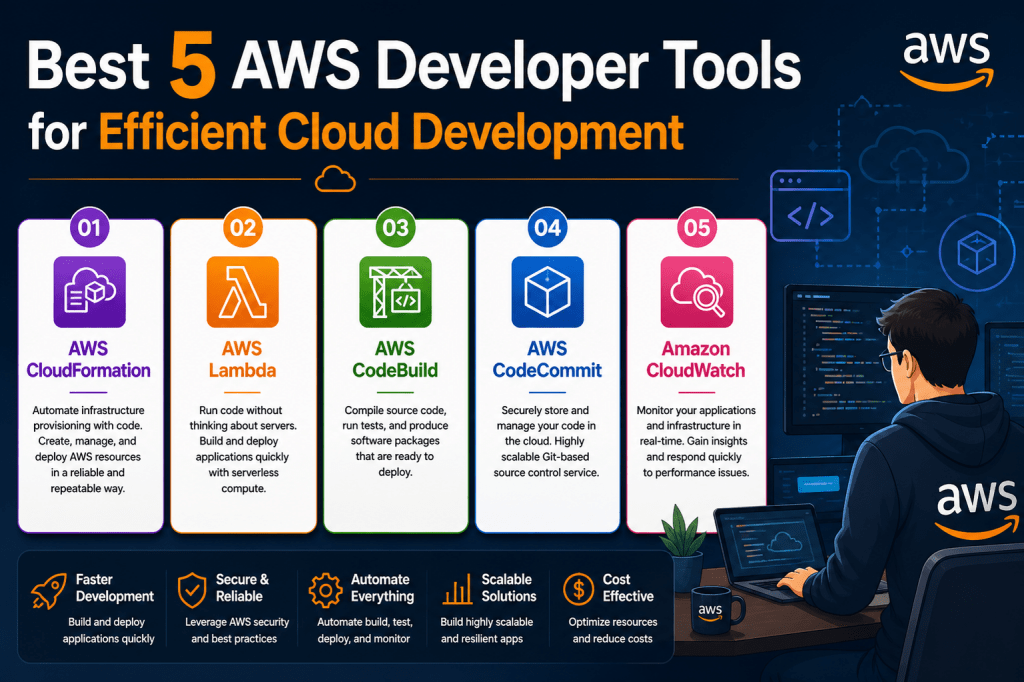
Amazon Web Services continues to dominate the cloud computing space by constantly evolving its offerings and introducing new capabilities tailored for developers. Instead of remaining static, the platform consistently enhances performance, scalability, and flexibility. However, with continuous innovation comes increasing complexity, making it challenging for developers to keep up with updates, configurations, and best practices. This is where AWS developer tools become essential, as they are designed to simplify workflows, automate repetitive processes, and improve productivity across development cycles.
Importance of Developer Tools in Cloud Development
Developer tools play a critical role in modern cloud environments because they reduce the burden of manual work and infrastructure management. These tools enable developers to focus more on building features and less on handling operational complexities. By streamlining processes such as deployment, testing, and monitoring, AWS tools help maintain consistency and reliability in application development. They also support collaboration within teams, ensuring that development efforts remain efficient and well-coordinated.
Simplifying Complex Cloud Operations
Working in a cloud environment often involves managing multiple services, configurations, and dependencies. Without proper tools, this can quickly become overwhelming. AWS developer tools simplify these operations by providing intuitive interfaces and automation capabilities. Developers can perform complex tasks using simple commands or predefined workflows, reducing the chances of errors and saving valuable time. This simplification is particularly important in fast-paced development environments where efficiency is crucial.
Enhancing Productivity Through Automation
Automation is one of the most valuable benefits provided by AWS developer tools. By automating repetitive tasks such as code builds, deployments, and testing, developers can focus on more strategic aspects of their work. Automation also ensures consistency across different environments, which is essential for maintaining application quality. As a result, teams can deliver updates more quickly and with greater confidence in their reliability.
AWS Command Line Interface Overview
The AWS Command Line Interface is a foundational tool that allows developers to interact with AWS services directly from the command line. It provides a unified interface for managing resources, executing commands, and automating workflows without relying on graphical interfaces. This makes it an essential tool for developers who prefer efficiency and control in their operations.
Ease of Use and Efficiency of AWS CLI
One of the main advantages of the AWS CLI is its simplicity. Developers can execute commands quickly to manage cloud resources without navigating through multiple menus or interfaces. This efficiency is particularly beneficial for repetitive tasks, where automation can significantly reduce time and effort. The straightforward nature of CLI commands also helps developers become productive more quickly.
Cross Platform Compatibility of AWS CLI
The AWS CLI is designed to work seamlessly across various operating systems, including Linux, Windows, and macOS. This ensures that developers can maintain consistent workflows regardless of their preferred environment. Its compatibility with different shell environments further enhances its usability, allowing developers to integrate it into their existing workflows without difficulty.
Security and Authentication in AWS CLI
Security is a key consideration when working with cloud services, and the AWS CLI provides robust mechanisms for authentication and access control. Developers can configure credentials and permissions to ensure that only authorized users can execute commands. This level of security is essential for protecting sensitive data and maintaining the integrity of cloud resources.
Simplified File Management Using AWS CLI
Managing files between local systems and cloud storage becomes significantly easier with the AWS CLI. Developers can use simple commands to upload, download, and manage files in cloud storage, similar to traditional file operations on local machines. This intuitive approach reduces the learning curve and makes file management more efficient.
Advanced Automation with AWS CLI
Beyond basic operations, the AWS CLI supports advanced automation through scripting. Developers can create scripts that perform multiple tasks in sequence, such as provisioning infrastructure and deploying applications. This capability is particularly valuable in environments where consistency and repeatability are critical, as it ensures that processes are executed in the same way every time.
Continuous Updates and Reliability of AWS CLI
The AWS CLI is regularly updated to support new services and features introduced by AWS. This ensures that developers always have access to the latest capabilities without needing to switch tools. The ongoing updates and improvements make the CLI a reliable and future-proof choice for managing cloud resources effectively.
AWS CodeBuild for Continuous Integration
AWS CodeBuild is a managed continuous integration service that automates the process of building and testing applications. It eliminates the need to set up and maintain build servers, allowing developers to focus on writing code instead of managing infrastructure. This shift significantly reduces operational complexity and improves efficiency.
Scalability and Performance of CodeBuild
One of the standout features of CodeBuild is its ability to scale automatically based on workload demands. Whether handling a single build or multiple concurrent builds, the service adjusts resources accordingly. This scalability ensures that builds are completed quickly and efficiently, without creating bottlenecks in the development process.
Cost Efficiency of CodeBuild
CodeBuild operates on a usage-based pricing model, meaning developers only pay for the time spent building code. There are no costs associated with idle resources, making it a cost-effective solution for organizations. This approach aligns well with modern development practices that prioritize efficiency and cost optimization.
Flexible Build Environments in CodeBuild
Developers have the flexibility to choose from preconfigured build environments or create custom ones tailored to their specific needs. This includes selecting programming languages, runtime versions, and dependencies required for the build process. Such flexibility ensures that CodeBuild can support a wide range of applications and workflows.
Integration Capabilities of CodeBuild
CodeBuild integrates seamlessly with other AWS services, enabling developers to create comprehensive development pipelines. It also supports integration with third-party tools, allowing teams to incorporate their existing workflows into the AWS environment. This makes it easier to adopt CodeBuild without disrupting established processes.
Structured Build Process in CodeBuild
The build process in CodeBuild is well-organized and easy to manage. Developers define a build project that specifies the source code location, build commands, and output artifacts. This structured approach ensures consistency across builds and simplifies the management of build configurations.
Monitoring and Logging in CodeBuild
Monitoring and logging are essential for maintaining code quality, and CodeBuild provides detailed insights into the build process. Developers can access logs and metrics to track performance and identify issues. This visibility helps teams address problems quickly and maintain high standards in their applications.
Artifact Management in CodeBuild
CodeBuild allows developers to store build artifacts securely in cloud storage. These artifacts can be accessed and used for deployment or further processing. This feature ensures that outputs are preserved and readily available, supporting efficient and reliable deployment workflows.
AWS Cloud9 Web Based Development Environment
AWS Cloud9 is a modern integrated development environment that runs entirely in a web browser, eliminating the need for complex local installations. This approach allows developers to start coding instantly without worrying about configuring their machines or installing dependencies. Since everything is hosted in the cloud, projects are accessible from anywhere, making it easier to maintain continuity in development work across multiple devices.
Accessibility and Flexibility of Cloud9
One of the most powerful aspects of Cloud9 is its accessibility. Developers can log in from any device with an internet connection and resume their work exactly where they left off. This flexibility is especially valuable for teams working remotely or across different locations. It ensures that development is no longer tied to a single machine, allowing for greater mobility and convenience.
Rich Coding Features in Cloud9
Cloud9 provides all the features expected from a modern development environment. It includes code completion, syntax highlighting, and intelligent suggestions that help developers write code more efficiently. These features not only improve productivity but also reduce the likelihood of errors by guiding developers as they write code.
Built In Debugging Capabilities
Debugging is a crucial part of the development process, and Cloud9 offers integrated debugging tools to simplify this task. Developers can set breakpoints, inspect variables, and step through code directly within the browser. This eliminates the need for external debugging tools and streamlines the process of identifying and fixing issues.
Support for Multiple Programming Languages
Cloud9 supports a wide range of programming languages, making it suitable for various types of projects. Whether working with JavaScript, Python, PHP, Ruby, Go, or C++, developers can rely on Cloud9 to provide the necessary tools and environment. This versatility ensures that teams can use a single platform for diverse development needs.
Real Time Collaboration in Cloud9
Collaboration is a key feature of Cloud9, allowing multiple developers to work on the same project simultaneously. This real-time collaboration capability enhances teamwork and speeds up development cycles. Team members can see each other’s changes instantly, making it easier to coordinate efforts and resolve issues quickly.
Integrated Communication Features
Cloud9 includes built-in communication tools that allow team members to interact without leaving the development environment. This reduces the need for additional software and keeps all collaboration within a single platform. Developers can discuss changes, share ideas, and provide feedback in real time, improving overall efficiency.
Preconfigured Development Environment
One of the major advantages of Cloud9 is its preconfigured environment. It comes with essential tools, libraries, and SDKs already set up, allowing developers to start working immediately. This eliminates the time-consuming process of installing and configuring dependencies, which is often a barrier for new projects.
Terminal Access Within Cloud9
Cloud9 provides a fully functional terminal within the browser, enabling developers to execute commands and manage resources directly. This includes access to cloud instances and the ability to run command-line tools. Having terminal access integrated into the IDE enhances productivity and allows developers to perform advanced tasks without switching environments.
Simplifying Serverless Development
Cloud9 is particularly well-suited for serverless application development. With built-in integrations and preconfigured tools, developers can quickly create and deploy serverless applications. This streamlined approach reduces complexity and allows developers to focus on building functionality rather than managing infrastructure.
AWS Device Farm for Application Testing
AWS Device Farm is a powerful testing service that allows developers to test their applications on a large number of real devices. Instead of relying on simulators or limited in-house devices, developers can access a vast collection of smartphones and tablets hosted in the cloud. This ensures that applications are tested under realistic conditions, leading to better performance and reliability.
Real Device Testing Advantage
Testing on real devices provides a more accurate representation of how an application will perform in the hands of users. Device Farm enables developers to run tests on actual hardware, capturing real-world scenarios that cannot be replicated by emulators. This helps identify issues that might otherwise go unnoticed during development.
Reducing Testing Time with Parallel Execution
Device Farm significantly reduces testing time by allowing tests to run in parallel across multiple devices. Instead of testing sequentially on individual devices, developers can execute tests simultaneously, speeding up the entire process. This is especially beneficial for large applications that require extensive testing across different configurations.
Automated Testing Capabilities
Automation is a key feature of Device Farm, enabling developers to run predefined test suites without manual intervention. Automated tests ensure consistency and repeatability, which are essential for maintaining application quality. Developers can also use built-in testing frameworks to get started quickly, even if they do not have an existing test suite.
Custom Device Configuration Options
Before running tests, developers can configure device settings to simulate different environments. This includes adjusting network conditions, setting geographic locations, and installing specific applications. These customization options allow developers to test how their applications behave under various scenarios.
Detailed Reporting and Insights
Device Farm provides comprehensive reports that include logs, screenshots, and performance data. These insights help developers understand how their applications behave on different devices and identify areas for improvement. Detailed reporting makes it easier to diagnose issues and enhance overall application quality.
User Experience Optimization Through Testing
By testing applications on a wide range of devices, developers can ensure a consistent user experience across different platforms. Device Farm helps identify compatibility issues and performance bottlenecks, allowing developers to optimize their applications for diverse user environments. This leads to higher user satisfaction and better app performance.
Scalable Testing Infrastructure
Device Farm offers a scalable testing infrastructure that can accommodate projects of any size. Whether testing a small application or a large enterprise solution, developers can rely on Device Farm to handle their testing needs. This scalability ensures that testing processes remain efficient as applications grow.
Cost Effective Testing Solution
Using Device Farm eliminates the need to maintain a large inventory of physical devices for testing. Developers can access a wide range of devices on demand, paying only for the time used. This makes it a cost-effective solution for organizations looking to optimize their testing processes without significant upfront investment.
AWS CodeDeploy for Automated Deployments
AWS CodeDeploy is a powerful service designed to automate the deployment of applications across different environments. It simplifies the complex process of releasing software updates by handling the deployment lifecycle from start to finish. Developers no longer need to rely on manual processes or custom scripts, as CodeDeploy ensures that updates are delivered consistently and efficiently across development, testing, and production environments.
Streamlining Deployment Workflows
One of the major advantages of CodeDeploy is its ability to streamline deployment workflows. Instead of managing deployments manually, developers can define deployment strategies and let the service handle execution. This reduces errors and ensures that every deployment follows a consistent process, which is crucial for maintaining application stability and reliability.
Support for Multiple Compute Platforms
CodeDeploy supports a wide range of compute platforms, making it highly versatile. Developers can deploy applications to virtual servers, container services, serverless functions, and even on-premises environments. This flexibility allows teams to use a single deployment tool across different infrastructures, simplifying operations and reducing the need for multiple deployment solutions.
Minimizing Downtime During Deployments
Downtime can significantly impact user experience and business operations, but CodeDeploy is designed to minimize disruptions. It uses advanced deployment strategies such as rolling updates and incremental deployments to ensure that applications remain available during updates. By gradually replacing old versions with new ones, it reduces the risk of service interruptions.
Deployment Health Monitoring
CodeDeploy continuously monitors the health of applications during deployments. If any issues are detected, the service can automatically stop or roll back the deployment to prevent further problems. This proactive approach helps maintain system stability and ensures that users are not affected by faulty updates.
Easy Integration with Development Tools
Integration is a key strength of CodeDeploy. It works seamlessly with various development and automation tools, allowing developers to incorporate it into their existing workflows. This compatibility ensures that teams can adopt CodeDeploy without disrupting their current processes, making the transition smoother and more efficient.
No Need for New Programming Languages
Developers do not need to learn new programming languages to use CodeDeploy effectively. It works with existing applications and supports multiple programming environments. This ease of adoption makes it accessible to developers with different skill levels and reduces the learning curve associated with deployment automation tools.
Flexible Deployment Configurations
CodeDeploy allows developers to customize deployment configurations based on their specific requirements. Whether deploying updates to a small group of instances or rolling out changes across a large infrastructure, the service provides the flexibility needed to handle different scenarios. This adaptability is essential for managing complex applications.
Improving Release Management Efficiency
By automating deployment processes, CodeDeploy significantly improves release management efficiency. Developers can release updates more frequently and with greater confidence, knowing that the deployment process is reliable and consistent. This leads to faster delivery of new features and improvements, enhancing the overall development lifecycle.
Enhancing Collaboration Between Teams
Deployment automation also improves collaboration between development and operations teams. With a standardized deployment process, both teams can work together more effectively, reducing misunderstandings and conflicts. This alignment supports modern development practices that emphasize collaboration and continuous delivery.
Combining AWS Developer Tools for Maximum Efficiency
While each AWS developer tool offers unique benefits, their true power is realized when used together. Combining tools like AWS CLI, CodeBuild, Cloud9, Device Farm, and CodeDeploy creates a comprehensive development ecosystem. This integration allows developers to manage the entire application lifecycle within a single platform, from writing code to testing and deployment.
End to End Development Workflow Integration
An integrated workflow enables developers to move seamlessly between different stages of development. Code can be written in a cloud-based environment, built and tested automatically, and deployed with minimal effort. This end-to-end integration reduces friction and ensures that each stage of development is connected and efficient.
Reducing Operational Complexity
Using multiple tools from the same ecosystem reduces operational complexity. Since these tools are designed to work together, developers do not need to spend time configuring integrations or resolving compatibility issues. This simplifies the development process and allows teams to focus on delivering value.
Supporting Agile Development Practices
AWS developer tools are well-suited for agile development methodologies. They enable rapid iterations, continuous integration, and frequent deployments, which are essential for agile workflows. By supporting these practices, the tools help teams respond quickly to changing requirements and deliver high-quality software.
Improving Code Quality and Reliability
Automation and integration contribute to improved code quality and reliability. Continuous testing and monitoring ensure that issues are identified early, while automated deployments reduce the risk of errors. This leads to more stable applications and a better experience for end users.
Scalability Across Development Processes
Scalability is not limited to infrastructure; it also applies to development processes. AWS developer tools allow teams to scale their workflows as projects grow. Whether handling a small application or a large enterprise system, these tools provide the flexibility and performance needed to manage increasing complexity.
Optimizing Resource Utilization
Efficient use of resources is another key benefit of AWS developer tools. By automating tasks and using managed services, developers can reduce waste and optimize resource usage. This not only lowers costs but also improves overall efficiency in the development process.
Encouraging Continuous Improvement
The use of advanced tools encourages teams to adopt a mindset of continuous improvement. With better visibility into processes and performance, developers can identify areas for enhancement and implement changes بسرعة. This ongoing optimization helps maintain a competitive edge in software development.
Extending AWS Developer Tool Capabilities
AWS developer tools are not limited to basic development, testing, and deployment tasks. They continue to evolve and expand in ways that empower developers to build more sophisticated and scalable applications. As organizations increasingly rely on cloud-native architectures, these tools play a vital role in enabling innovation while maintaining efficiency. Developers can leverage these tools to handle complex workflows, integrate advanced services, and ensure that applications meet modern performance and security standards.
Adapting to Modern Application Architectures
Modern applications often rely on microservices, containers, and serverless computing. AWS developer tools are designed to support these architectures by providing seamless integration and automation. Developers can build loosely coupled systems that are easier to maintain and scale. These tools simplify the process of managing multiple services and ensure that applications remain responsive and reliable even under heavy workloads.
Improving Developer Experience Through Integration
A key strength of AWS developer tools lies in their deep integration with each other. This interconnected ecosystem enhances the developer experience by reducing friction between different stages of development. Developers can move from coding to testing to deployment without switching platforms or tools. This unified experience not only saves time but also reduces the chances of errors caused by manual transitions.
Automation as a Core Development Principle
Automation is at the heart of AWS developer tools. From writing code to deploying applications, automation reduces manual effort and ensures consistency. Developers can create pipelines that automatically build, test, and deploy applications whenever changes are made. This approach accelerates development cycles and allows teams to deliver updates more frequently without compromising quality.
Enhancing Collaboration Across Teams
Collaboration is essential in modern software development, and AWS tools are designed to support team-based workflows. Features such as shared environments, real-time updates, and integrated communication tools make it easier for teams to work together. Developers, testers, and operations teams can collaborate seamlessly, ensuring that everyone stays aligned throughout the development process.
Ensuring High Availability and Reliability
Reliability is a critical factor in application development, and AWS developer tools help ensure that applications remain available at all times. By automating testing and deployment processes, these tools reduce the risk of failures. Monitoring and logging capabilities provide insights into system performance, allowing developers to address issues proactively and maintain high levels of availability.
Security Integration in Development Workflows
Security is deeply integrated into AWS developer tools, ensuring that applications are built with best practices in mind. Developers can manage access controls, monitor activity, and implement secure coding practices throughout the development lifecycle. This proactive approach to security helps protect applications and data from potential threats.
Faster Time to Market with AWS Tools
One of the most significant advantages of using AWS developer tools is the ability to accelerate time to market. Automation, integration, and scalability enable developers to build and release applications بسرعة. This speed is essential in competitive markets where delivering features quickly can make a significant difference.
Handling Large Scale Development Projects
AWS developer tools are well-suited for large-scale projects that require coordination across multiple teams and environments. They provide the infrastructure and automation needed to manage complex workflows efficiently. As projects grow, these tools can scale to meet increasing demands without compromising performance or reliability.
Optimizing Development Costs and Resources
Cost optimization is another important benefit of AWS developer tools. By using managed services and pay-as-you-go models, organizations can reduce unnecessary expenses. Developers can focus on building applications without worrying about maintaining infrastructure, leading to better resource utilization and cost efficiency.
Continuous Learning and Skill Development
Working with AWS developer tools also encourages continuous learning and skill development. As new features and services are introduced, developers have opportunities to expand their knowledge and improve their expertise. This ongoing learning process helps developers stay relevant in a rapidly changing technological landscape.
Preparing for Advanced DevOps Practices
AWS developer tools provide a strong foundation for implementing advanced DevOps practices. By integrating development and operations processes, these tools enable continuous integration, continuous delivery, and continuous deployment. This alignment improves efficiency and ensures that applications are delivered بسرعة and reliably.
Leveraging Cloud Scalability for Development
Scalability is one of the defining features of cloud computing, and AWS developer tools make it accessible to developers. Applications can be built to handle varying levels of demand without requiring significant changes to the underlying infrastructure. This scalability ensures that applications remain performant as user demand grows.
Building Resilient and Future Ready Applications
AWS developer tools help developers create applications that are resilient and prepared for future challenges. By incorporating automation, monitoring, and scalability, developers can ensure that their applications remain robust in dynamic environments. This forward-thinking approach is essential for long-term success in cloud development.
Encouraging Innovation Through Simplified Workflows
Simplified workflows enable developers to focus on innovation rather than operational complexities. AWS tools remove barriers that traditionally slow down development, allowing teams to experiment with new ideas and technologies. This fosters creativity and encourages the development of innovative solutions that can drive business growth.
Strengthening Development Pipelines
Development pipelines are critical for managing the flow of code from development to production. AWS developer tools provide the capabilities needed to build strong and efficient pipelines. Automated testing, deployment, and monitoring ensure that code moves through the pipeline بسرعة and safely, reducing the risk of errors.
Maintaining Consistency Across Environments
Consistency is essential for ensuring that applications behave the same way in different environments. AWS developer tools help maintain this consistency by automating configurations and deployments. Developers can ensure that applications run smoothly in development, testing, and production environments without unexpected issues.
Supporting Rapid Iteration and Feedback Cycles
Rapid iteration is a key aspect of modern development practices. AWS tools enable developers to make changes quickly and receive feedback almost immediately. This fast feedback loop helps identify issues early and allows developers to refine their applications continuously.
Empowering Developers with Scalable Solutions
Ultimately, AWS developer tools empower developers by providing scalable, reliable, and efficient solutions for building applications. They remove many of the traditional challenges associated with development and allow teams to focus on delivering high-quality software. This empowerment leads to better outcomes for both developers and organizations.
Evolving Role of AWS Developer Tools in Modern Development
AWS developer tools continue to evolve as the demands of software development grow more complex. Developers today are expected to deliver applications faster, ensure higher reliability, and maintain security standards, all while working within distributed and scalable environments. AWS tools address these challenges by offering a unified ecosystem that supports every phase of development. Their continuous improvement ensures that developers always have access to modern capabilities that align with industry trends and expectations.
Bridging Development and Operations Seamlessly
One of the most important contributions of AWS developer tools is how they bridge the gap between development and operations. Traditionally, these two areas operated separately, leading to inefficiencies and delays. With integrated tools, developers and operations teams can work within the same environment, sharing responsibilities and collaborating effectively. This alignment enhances productivity and ensures smoother transitions from development to deployment.
Supporting Continuous Integration and Delivery Practices
Continuous integration and continuous delivery are essential practices in modern software development. AWS developer tools make it easier to implement these practices by automating builds, tests, and deployments. Developers can push code changes frequently, and the system automatically validates and prepares those changes for release. This reduces the risk of errors and ensures that updates are delivered quickly and efficiently.
Reducing Manual Intervention in Development Workflows
Manual processes can slow down development and introduce inconsistencies. AWS tools minimize the need for manual intervention by automating repetitive tasks. From provisioning infrastructure to running tests and deploying applications, automation ensures that processes are executed consistently every time. This not only improves efficiency but also reduces the likelihood of human error.
Enhancing Visibility Across Development Processes
Visibility is crucial for managing complex development workflows. AWS developer tools provide detailed insights into every stage of the development lifecycle. Developers can monitor builds, track deployments, and analyze performance metrics بسهولة. This level of visibility allows teams to identify issues early and make informed decisions to improve their workflows.
Encouraging Standardization and Best Practices
Standardization is key to maintaining consistency and quality in software development. AWS developer tools encourage the use of best practices by providing predefined templates and workflows. These standards help teams maintain uniformity across projects and ensure that applications meet quality and security requirements.
Scaling Development Efforts Efficiently
As organizations grow, their development needs become more complex. AWS developer tools are designed to scale alongside these needs, allowing teams to handle larger workloads without compromising performance. Whether managing multiple projects or supporting a growing user base, these tools provide the scalability required to maintain efficiency.
Facilitating Faster Debugging and Issue Resolution
Debugging is an inevitable part of development, and AWS tools make this process more efficient. With integrated logging and monitoring features, developers can quickly identify the root cause of issues. Faster debugging leads to quicker resolutions, minimizing downtime and ensuring that applications remain stable and reliable.
Strengthening Application Lifecycle Management
Application lifecycle management involves overseeing every stage of an application’s life, from development to deployment and maintenance. AWS developer tools provide the necessary capabilities to manage this lifecycle effectively. By automating key processes and providing detailed insights, these tools help ensure that applications are maintained and updated efficiently.
Improving Team Productivity and Collaboration
Productivity is significantly enhanced when teams have access to the right tools. AWS developer tools streamline workflows and reduce unnecessary complexity, allowing developers to focus on their core tasks. Collaboration features further enhance productivity by enabling team members to work together seamlessly, regardless of their location.
Adapting to Rapid Technological Changes
The technology landscape is constantly evolving, and developers must adapt quickly to stay competitive. AWS developer tools are designed to keep pace with these changes, providing new features and capabilities as needed. This adaptability ensures that developers can continue to build modern applications without being limited by outdated tools.
Optimizing Performance Through Automation and Monitoring
Performance optimization is a critical aspect of application development. AWS tools provide automation and monitoring features that help developers maintain optimal performance. By continuously analyzing system behavior, developers can identify bottlenecks and make improvements to enhance efficiency and responsiveness.
Supporting Innovation and Experimentation
Innovation is at the heart of successful development, and AWS tools create an environment that encourages experimentation. Developers can test new ideas, implement changes, and evaluate results quickly. This flexibility allows teams to innovate without fear of disrupting existing systems, leading to more creative and effective solutions.
Ensuring Consistent Deployment Strategies
Consistency in deployment is essential for maintaining application stability. AWS developer tools enable developers to define and implement consistent deployment strategies across different environments. This ensures that applications behave predictably, reducing the risk of unexpected issues during releases.
Empowering Developers with Advanced Capabilities
AWS developer tools empower developers by providing advanced capabilities that simplify complex tasks. From automation to integration and scalability, these tools offer everything needed to build and manage applications effectively. This empowerment allows developers to focus on delivering value rather than dealing with operational challenges.
Building a Strong Foundation for Future Development
Using AWS developer tools helps establish a strong foundation for future development efforts. By adopting best practices and leveraging modern technologies, developers can create systems that are robust, scalable, and adaptable. This foundation ensures long-term success and prepares teams for future challenges in the ever-changing world of software development.
Maximizing Efficiency with AWS Developer Tools
AWS developer tools provide a powerful way to maximize efficiency across every stage of application development. By combining automation, scalability, and integration, these tools allow developers to streamline their workflows and eliminate unnecessary complexity. Instead of spending time managing infrastructure or handling repetitive tasks, developers can focus on writing code and improving application functionality. This shift not only saves time but also enhances the overall quality of software projects.
Creating Seamless Development Pipelines
A seamless development pipeline is essential for delivering applications quickly and reliably. AWS developer tools enable the creation of pipelines that connect coding, building, testing, and deployment into a continuous process. Each stage flows naturally into the next, reducing delays and ensuring that updates are delivered efficiently. This streamlined approach supports modern development practices and helps teams maintain a steady pace of innovation.
Enhancing Reliability Through Automation
Automation plays a critical role in improving reliability. By automating builds, tests, and deployments, AWS tools ensure that processes are executed consistently every time. This reduces the chances of errors and helps maintain stability across different environments. Reliable processes lead to more dependable applications, which is essential for maintaining user trust and satisfaction.
Reducing Development Bottlenecks
Bottlenecks can slow down development and impact productivity. AWS developer tools help eliminate these bottlenecks by providing scalable resources and automated workflows. Whether it is building code, running tests, or deploying applications, these tools ensure that tasks are completed بسرعة and efficiently. This allows teams to focus on delivering value rather than dealing with delays.
Improving Scalability Across Projects
Scalability is a key advantage of cloud-based development, and AWS tools make it easier to scale both applications and development processes. As projects grow in size and complexity, these tools can handle increased workloads without compromising performance. This ensures that development efforts remain efficient even as demands increase.
Strengthening Collaboration and Teamwork
Effective collaboration is essential for successful development projects. AWS developer tools provide features that support teamwork, such as shared environments and integrated communication. These capabilities allow team members to work together seamlessly, regardless of their location. Improved collaboration leads to better coordination and more successful project outcomes.
Ensuring Consistent Quality Across Applications
Maintaining consistent quality is a challenge in software development, especially when working across multiple environments. AWS tools help address this challenge by standardizing processes and automating quality checks. Continuous testing and monitoring ensure that issues are identified early, allowing developers to maintain high standards throughout the development lifecycle.
Adapting to Changing Business Requirements
Business requirements often change بسرعة, and development teams must be able to adapt. AWS developer tools provide the flexibility needed to respond to these changes. Developers can update applications, modify workflows, and deploy new features quickly, ensuring that the software remains aligned with business goals.
Leveraging Cloud Native Development Advantages
Cloud-native development offers numerous advantages, including scalability, flexibility, and cost efficiency. AWS developer tools are designed to support this approach by providing the necessary infrastructure and automation capabilities. Developers can build applications that fully leverage the power of the cloud, resulting in better performance and user experiences.
Encouraging Continuous Improvement and Innovation
Continuous improvement is essential for staying competitive in the technology industry. AWS developer tools encourage this mindset by providing insights and automation that help developers refine their processes. Teams can experiment with new ideas, learn from feedback, and continuously enhance their applications. This culture of innovation leads to more effective and forward-thinking solutions.
Building Robust and Resilient Applications
Resilience is a critical aspect of modern applications. AWS tools help developers build systems that can handle failures and recover quickly. By incorporating monitoring, automation, and scalable infrastructure, developers can ensure that their applications remain stable even under challenging conditions. This resilience is key to delivering reliable services to users.
Optimizing Resource Utilization and Costs
Efficient use of resources is important for both performance and cost management. AWS developer tools enable developers to optimize resource utilization by automating processes and scaling resources as needed. This ensures that organizations only pay for what they use, reducing unnecessary expenses while maintaining high performance.
Preparing for Future Growth and Expansion
As applications and businesses grow, development processes must evolve to support new demands. AWS developer tools provide a strong foundation for future growth by offering scalable and flexible solutions. Developers can expand their applications and workflows without needing to redesign their systems بالكامل, ensuring long-term sustainability.
Delivering High Quality User Experiences
Ultimately, the goal of any development effort is to deliver a high-quality user experience. AWS developer tools contribute to this goal by ensuring that applications are reliable, performant, and continuously improved. By streamlining development processes and maintaining quality standards, these tools help create applications that meet user expectations.
Conclusion
AWS developer tools play a vital role in modern software development by simplifying complex processes and enabling efficient workflows. From command-line management to automated builds, collaborative environments, large-scale testing, and seamless deployments, these tools cover every aspect of the development lifecycle. Their integration, scalability, and automation capabilities allow developers to work smarter and deliver better results. By leveraging these tools effectively, development teams can build robust, reliable, and innovative applications that meet the demands of today’s dynamic digital landscape.